Do You Want to Find Your Current Time Zone on Map?
Our World Time Zone Map lets you find the local time zone for any location on Earth completely free. Simply click on the interactive map or search by address, postcode, or GPS coordinates. The tool returns the timezone name (e.g., Europe/London), GMT/UTC offset (e.g., GMT+1), timezone abbreviation (e.g., BST), the current local date and time at that point, and the nearest address resolved via OpenStreetMap reverse geocoding.
Time zone data is powered by TimeZoneDB — a comprehensive, regularly updated database covering all IANA tz database zones worldwide. Results reflect current DST status — so whether it is summer time or winter time, the offset shown is always accurate for right now.
Key Features
- Search by Address, Postcode, or Place Name — powered by OpenStreetMap Nominatim
- Search by Coordinates — enter decimal lat, lng directly in the search box
- My Location — uses device GPS to zoom to your current position and look up your timezone
- Click Anywhere on the Map — instant timezone popup for any clicked point
- GMT Offset — shows both the signed offset (e.g., GMT+5:30) and the abbreviation (e.g., IST)
- Current Local Date & Time — the exact time right now at the clicked location
- Reverse Geocoding — address resolved from coordinates so you know exactly where you clicked
- WhatsApp Share — one tap sends timezone info, address, and local time to any WhatsApp contact
- Basemap Switcher — Street, Satellite, and Terrain views
How to Use the Time Zone Finder — Step by Step
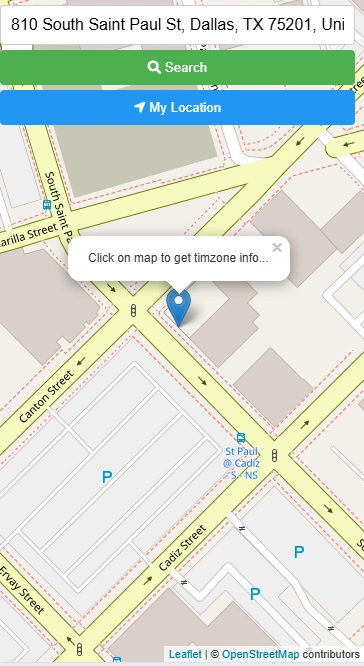
Type an address, city, or postcode into the search bar and press Enter. The map zooms to the matched location. Alternatively, click "My Location" to zoom to your GPS position.
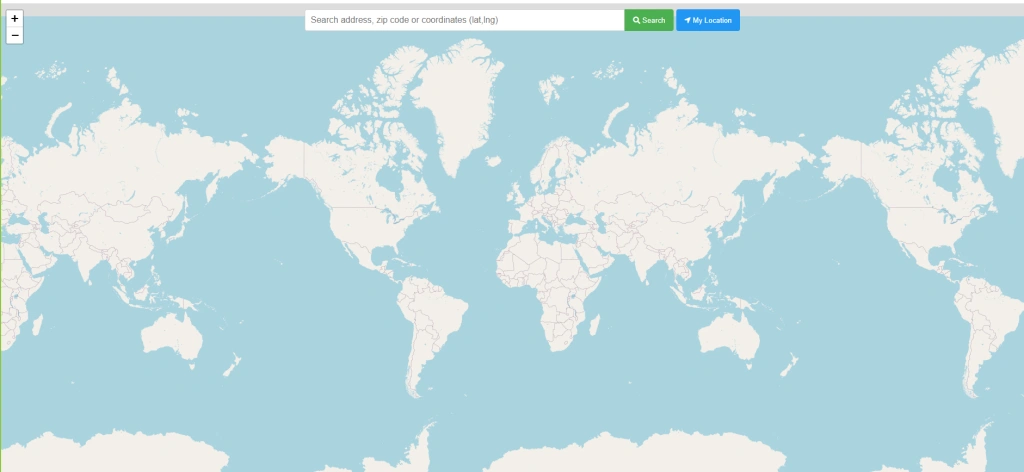
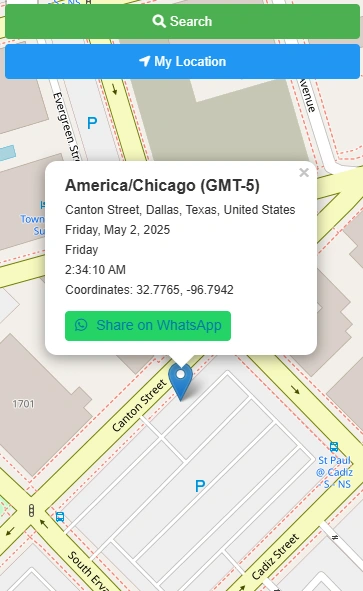
Click any point on the map. A marker is placed and a popup appears with the timezone name, GMT offset, timezone abbreviation, nearest address, current local time, and date.
The popup contains a green "Share on WhatsApp" button. Tap it to open WhatsApp with a pre-filled message containing the timezone, location, and local time — ready to send to any contact.
Who Uses This Tool?
Open Source & Data Credits
- Timezone data: TimeZoneDB — IANA tz database
- Geocoding: Nominatim by OpenStreetMap contributors
- Map tiles: CARTO, OpenStreetMap, Esri
- Map library: Leaflet JS