Do You Want to Find Elevation On Map?
Our Map Elevation Finder lets you find the altitude of any location on Earth for free. The tool uses SRTM90m (Shuttle Radar Topography Mission) data — a globally consistent digital elevation model collected by NASA at approximately 90-metre (3 arc-second) horizontal resolution. The data is open-source, freely available, and updated periodically to correct artefacts and voids.
Whether you are planning a hike, assessing flood risk, or simply curious about the terrain beneath a specific address, this tool gives you an instant answer — no software to install, no sign-up required.
Key Features
- Search by Address, Postal/Zip Code, or Place Name — powered by OpenStreetMap Nominatim
- Search by Coordinates — enter decimal latitude/longitude directly in the search box
- My Location — uses your device GPS to find your current elevation instantly
- Click Anywhere — click any point on the map to get the elevation at that point
- Basemap Switcher — toggle between Street, Satellite (Esri), and Terrain views
- Lat/Lng Bar — live coordinate display as you move the cursor
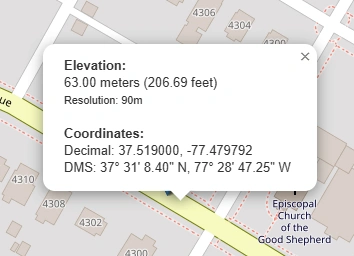
- Metres + Feet — results shown in both imperial and metric units
- DMS Coordinates — popup shows degrees, minutes, seconds for the clicked point
How to Use the Elevation Finder — Step by Step
The map opens centred on the world. Pan and zoom to the area of interest, or go straight to the search bar.
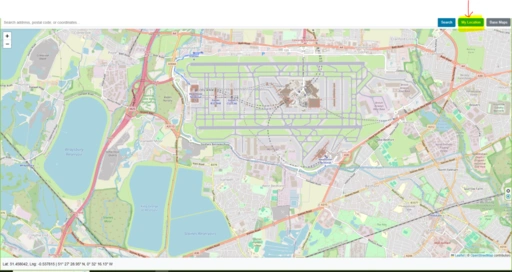
Type an address, city, postcode, or landmark into the search box and press Enter. The map will zoom to the location automatically.
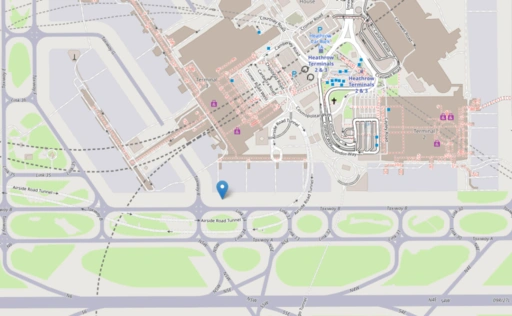
Click any point on the map. A marker is placed and a popup shows the elevation in metres and feet, plus the DMS coordinates of that point.

Use the Street / Satellite / Terrain buttons to change the background map. Terrain view is useful for visualising how elevation changes across a landscape.
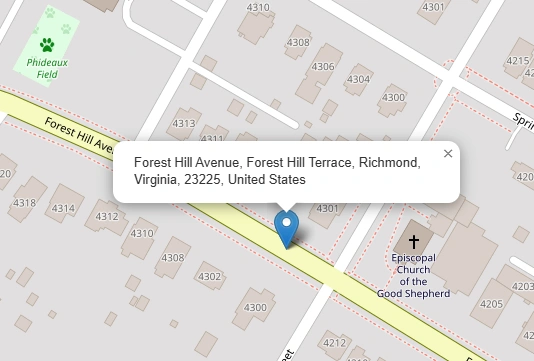
Click "My Location" to move the map to your GPS position and immediately get your current elevation. Useful for hikers and field workers.
Who Can Benefit from This Tool?
Base Map Switcher
The elevation finder includes three basemap options to give the best visual context for your query:
- Street — CartoDB Voyager clean modern style with road names and place labels (default). Falls back automatically through CartoDB Light → OSM Humanitarian → Standard OSM if tiles are unavailable.
- Satellite — Esri World Imagery high-resolution aerial and satellite photography, useful for identifying land features.
- Terrain — Esri World Topo Map with shaded relief, contour cues, and natural colour, making slope and ridgelines immediately visible.
Open Source & Data Credits
- Elevation data: NASA SRTM90m via OpenTopoData
- Geocoding: Nominatim by OpenStreetMap contributors
- Map tiles: CARTO, OpenStreetMap, Esri
- Map library: Leaflet JS — open-source interactive mapping